
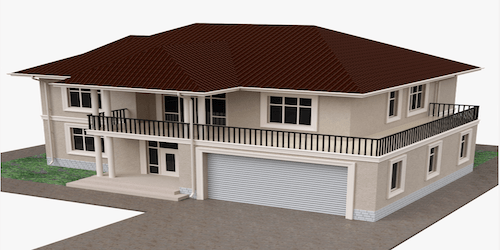
Introduction
The architectural tools turn an empty scene into a building: walls with doors and windows, roofs, stairs, fences, paths and much more. Everything is parametric, meaning editable at any time.
How it works
The tools work by points: you click to draw a wall and the editor generates the geometry itself, with mitered corners, dimension labels and cut openings. Roofs are created by choosing the type (sloped, mansard, hip), stairs by choosing the shape (straight, L, U, spiral). Move a vertex and the geometry updates.
What it's for
It lets you build the structure of a project with precision and speed, without modelling by hand: draw a perimeter and in a few clicks you have coherent walls, openings and roofs.
Usage instructions
Build a building
- Activate the wall tool and click the perimeter vertices.
- Add doors and windows by placing them on the wall.
- Draw a staircase for the upper floors and an external path.
- Choose the roof type and confirm it on the perimeter.
- Edit a vertex to refine the shape.
Use case
For a two-storey pavilion: draw the ground-floor perimeter, cut the entrance with a wide door, add a U-shaped staircase for the upper floor and a hip roof. The main structure is ready in a fraction of the time it would take to model it by hand.
Want to try this on your space? Request an Expi4D demo.